 Timesheets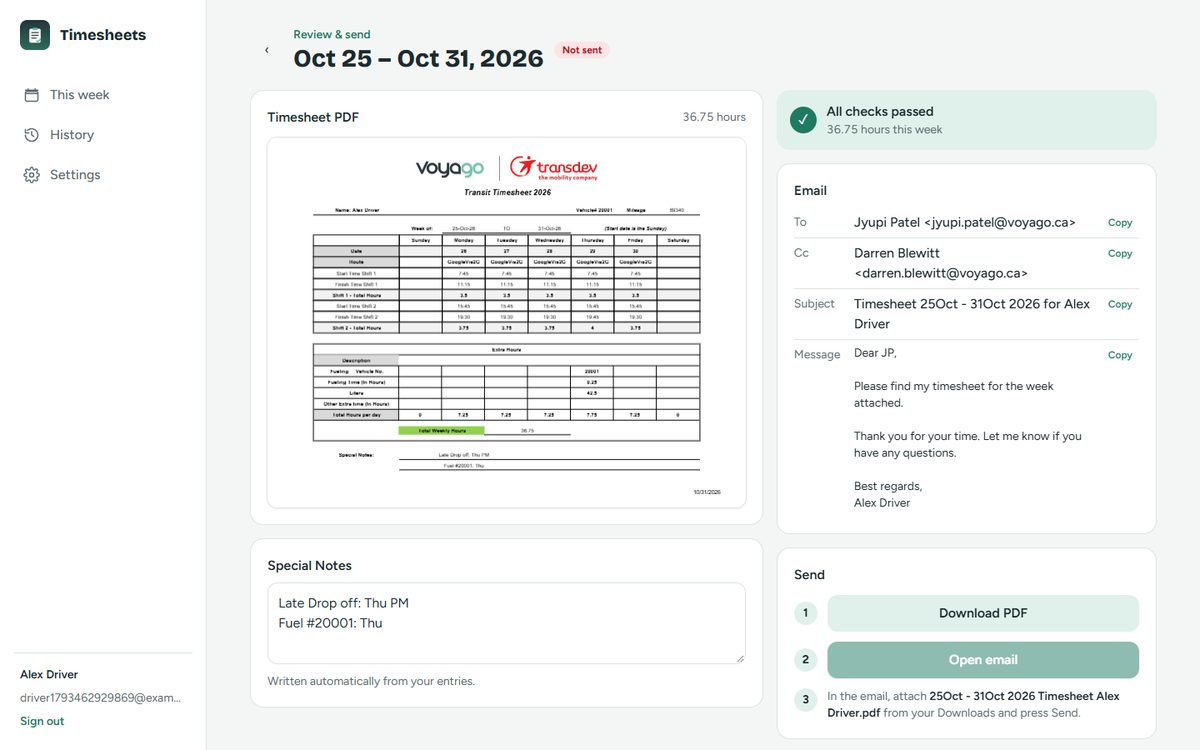
Pre-filled usual shifts
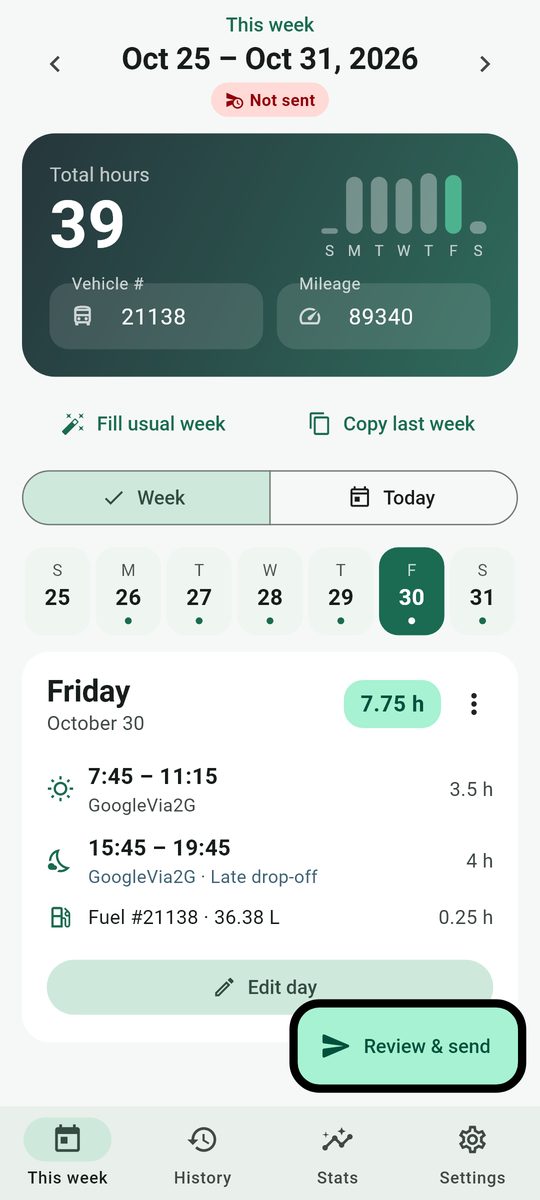
Your normal Monday–Friday times and route fill in with one tap. Change only what was different.
For Voyago transit drivers
Log shifts, fueling and extra time as the week goes. On Friday you get the same Transit Timesheet PDF dispatch already receives, with the email ready to send.
What it does
Your normal Monday–Friday times and route fill in with one tap. Change only what was different.
Shift hours, daily and weekly totals, late drop-offs, fuel days and cleaning are worked out and written into Special Notes.
The timesheet matches the Voyago/Transdev layout, and the email to Jyupi with Darren in Cc is written for you.
Missing mileage, a finish before a start, or fuel without litres is caught before it reaches dispatch.
The Android app reminds you at 10 PM each day you haven't logged, and several times on Friday night until it's sent.
The Android app keeps everything on your phone. The web app keeps it in your browser, with only your last 4 weeks backed up to your account.
Get started
Best if you have an Android phone. Sends through the Gmail app with the PDF already attached.
Works in any modern browser. Download the PDF and open Gmail with everything filled in; attach and send.
Questions
No. It's a tool made by a fellow driver, Yash Jani, to fill in the same timesheet faster. You still send the timesheet from your own email.
It's shared directly as a file for a small group of drivers. The Android guide walks you through the one-time "install unknown apps" prompt.
Your email, a one-way scrambled (hashed) password, your profile and the table data for your latest 4 weeks. No PDFs are stored. Older weeks stay only in your browser.
Use the web app in Safari. On the Review page, tap Download PDF, then Open email, and attach the PDF from Files.